Drum Unmixer
v1.2Separate a drum loop into its constituent hits.
Drop in a mixed drum loop and Drum Unmixer splits it into 2 to 6 drum lanes plus a Remainder, in about a second. Each lane is named after what it hears. The lanes always add back up to the original exactly, so nothing is ever thrown away.
Windows · VST3 | macOS coming soon
Paper by day, ink by night
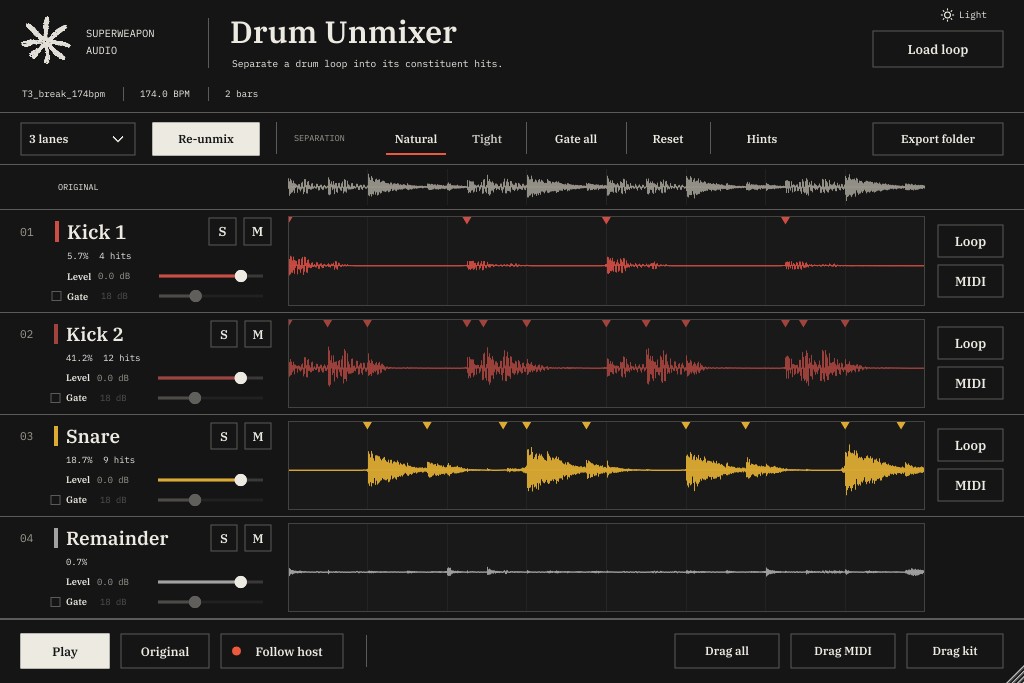
Drum Unmixer comes in a light theme and a dark one. Switch with the button in the top corner of the window, so it sits comfortably in whatever your DAW looks like at 3am.
A gate on every lane
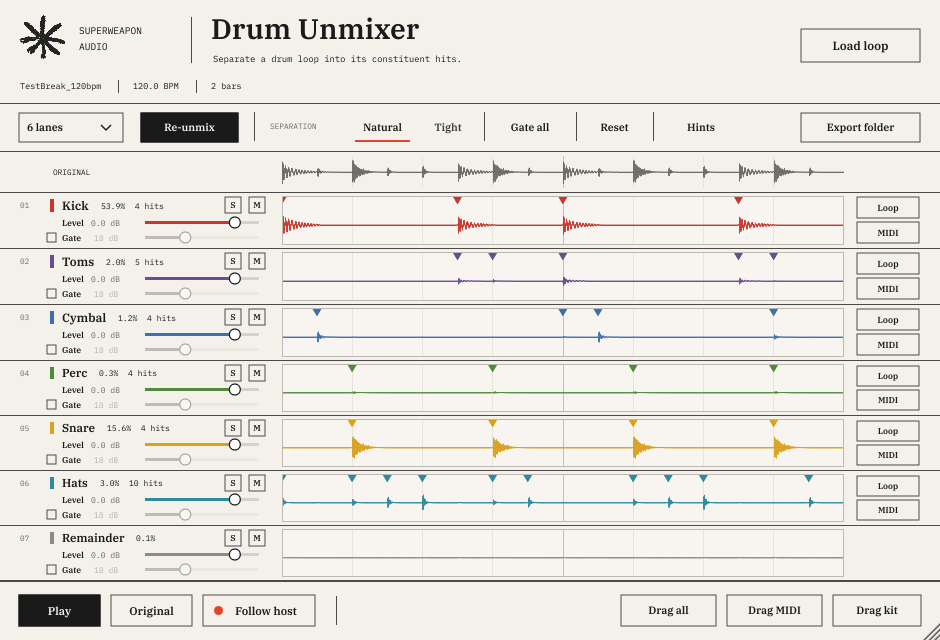
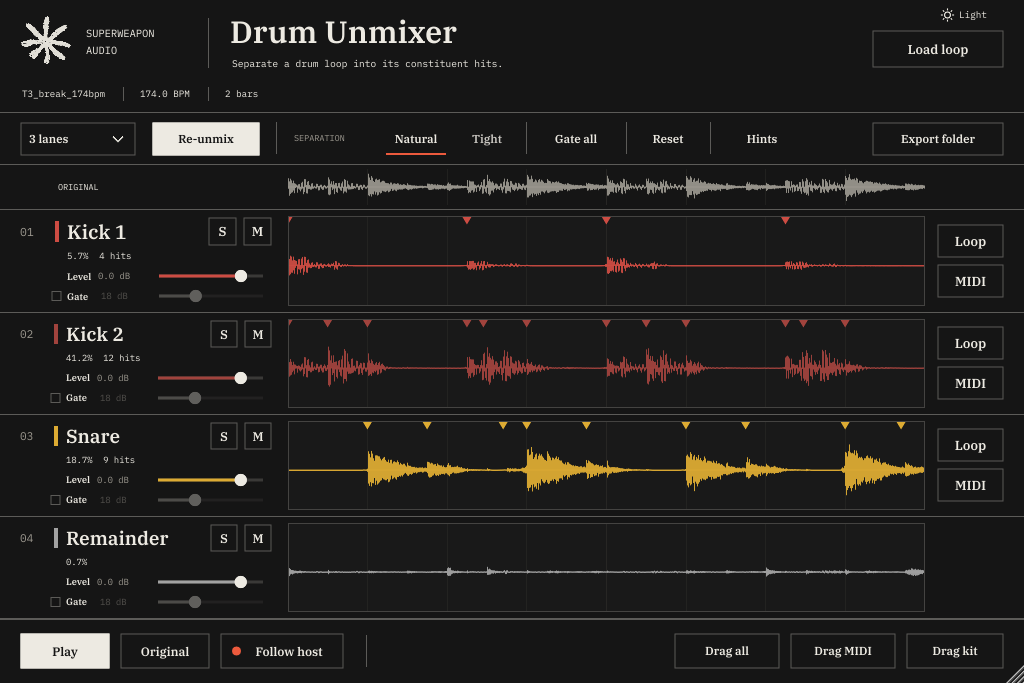
Each lane has its own gate slider. Turn it up and the lane closes between its own hits, clearing out faint bleed from the other drums. The slider sets how deep it cuts.
Whatever the gate removes moves to the Remainder lane, so the loop still adds back up exactly. Gates are off by default, so lanes keep their natural tails until you ask for something tighter. Gate all sets every lane at once.
Choose 2 to 6 lanes
Lanes aren't fixed slots. You choose how many drums to split the loop into, and Drum Unmixer names each lane after what it hears. Every setting also gets a Remainder lane.
| LANES | WHAT YOU USUALLY GET | BEST FOR |
|---|---|---|
| 2 | Low, High | A quick bottom/top split, to EQ or process them separately |
| 3 default | Kick, Snare, Hats | Most breaks: Amen, funk and hip-hop loops |
| 4 | Kick, Snare, Hats + 1 extra | Loops with a crash, ride or extra percussion |
| 5 | Kick, Snare, Hats + 2 extras | Busier kits |
| 6 | Kick, Snare, Hats + 3 extras | Full kits with toms, cymbals and percussion |
Extras are named from their sound, so they change from loop to loop. On a simple break with only three real drums, extra lanes tend to split one drum in two (the kick's click and its body, say), which is why 3 is the default.
| GROUP | LANE NAMES AND MIDI NOTES |
|---|---|
| Drums | Kick C1 (36) Snare D1 (38) Toms A1 (45) Rim C#1 (37) Clap D#1 (39) |
| Cymbals | Hats F#1 (42) Crash C#2 (49) Ride D#2 (51) Cymbal C#2 (49) |
| Hand percussion | Tambourine F#2 (54) Shaker A#4 (82) Maracas A#3 (70) Cowbell G#2 (56) Claves D#4 (75) Woodblock E4 (76) Bongos C3 (60) Congas E3 (64) Djembe F3 (65) Cajón F#3 (66) Perc D#1 (39) |
| Tuned | Triangle A4 (81) Timpani F1 (41) Xylophone C4 (72) |
| 2-lane split | Low C1 (36) High F#1 (42) |
| Remainder | Everything the other lanes didn't claim: room sound, reverb tails, noise, plus anything a lane gate cuts. No MIDI |
Every lane is named from its own sound and hits, so a loop with a cowbell gets a Cowbell lane. Guessed wrong? Click the lane's name and pick another from the menu (Drums, Cymbals, Hand percussion, Tuned), or choose Automatic to go back to Drum Unmixer's guess.
If two lanes come out as the same drum, they're numbered (Kick 1, Kick 2) and get the next free note. MIDI follows the General MIDI drum map, so patterns play straight into a Drum Rack or any GM kit.
Features
Unmix
- Splits a loop into 2 to 6 drum lanes plus a Remainder, in about a second for a typical break.
- Finds every hit first, decides which drum it belongs to, then keeps each drum in one lane, so a snare's body and crack stay together.
- Natural separation is smoother and keeps a little room. Tight gives harder edges and less bleed.
- Lossless: the lanes always add back up to the original exactly.
- Works in stereo and keeps the source's sample rate.
Tempo and timing
- Detects tempo, and reads a BPM from the file name (Amen_174.wav) or your project to get half-time and double-time right.
- Recognises loops that are a whole number of bars and lines the grid up with bar 1.
- Marks every hit on each lane's waveform, sample-accurate.
Play it in your DAW
- Locks to your project: bar 1 of the loop plays on bar 1 of your song, at your project tempo.
- Preview button, or Space, to audition with your DAW stopped.
- Solo, mute, level and gate on every lane, all automatable.
- Original button to A/B against the untouched loop.
Separate outputs
- 8 extra stereo outputs, one per lane, so every drum can have its own channel, effects and sends.
- Lanes also stay in the main output, so mute the main channel when you route lanes out on their own.
Drag it out
- Drag any lane into your DAW as a WAV, full loop length and lined up with the others, or all lanes at once.
- Drag MIDI for one lane or the whole pattern, one track per drum, with velocities from how hard each hit was played.
- One-shots: the cleanest single hit of each lane, trimmed and named with its MIDI note. Drag kit takes them all at once.
- Clean file names like Amen_174bpm_Snare.wav, saved to a folder you choose. New settings get their own subfolder, so nothing a project uses is overwritten.
Works the way you do
- Drop a WAV, AIFF, FLAC or OGG loop up to 60 seconds onto the plugin, or browse for it.
- Settings and the loaded loop are saved with your project.
- Resizable window, with each lane in its own colour and its waveform, hit marks and controls in one row.
- Light and dark themes, one click to switch.
- Hints: hover over any control for a short explanation.
- Rename any lane from a menu if the automatic name is wrong.
What you need
- Windows
- Windows 11, 64-bit
- Format
- VST3 instrument, in any DAW that loads VST3 plugins. Load it on a MIDI or instrument track
- Runtime
- Microsoft Visual C++ Redistributable (x64), free. Most DAW computers already have it
- macOS
- Coming soon
- Loops
- WAV, AIFF, FLAC or OGG, up to 60 seconds
- Outputs
- Main stereo out plus 8 stereo lane outs
- Activation
- None. No codes, no internet needed
Download straight away, install it on the computers you work on, get every future update free, and keep everything you make with it. No activation, no codes.
Secure checkout by Moonbase. VAT included where it applies.