Live Dub Tape Echo
Throw it. Hold it. Bend it.
A tape echo you play like an instrument. Hold Throw to catch a snare, a word or a stab. Latch Hold to loop the repeats while the band plays on. Turn Time while the echoes ring and they slide in pitch, like a hand on the tape reel.
Push Feedback past 100% and it howls, but never runs away.
V0.2 · INSTANT DOWNLOAD · SECURE CHECKOUT BY MOONBASE
Max for Live audio effect. Needs Ableton Live with Max for Live: Live Suite, or Live Standard with the Max for Live add-on.
 LIVE DUB TAPE ECHO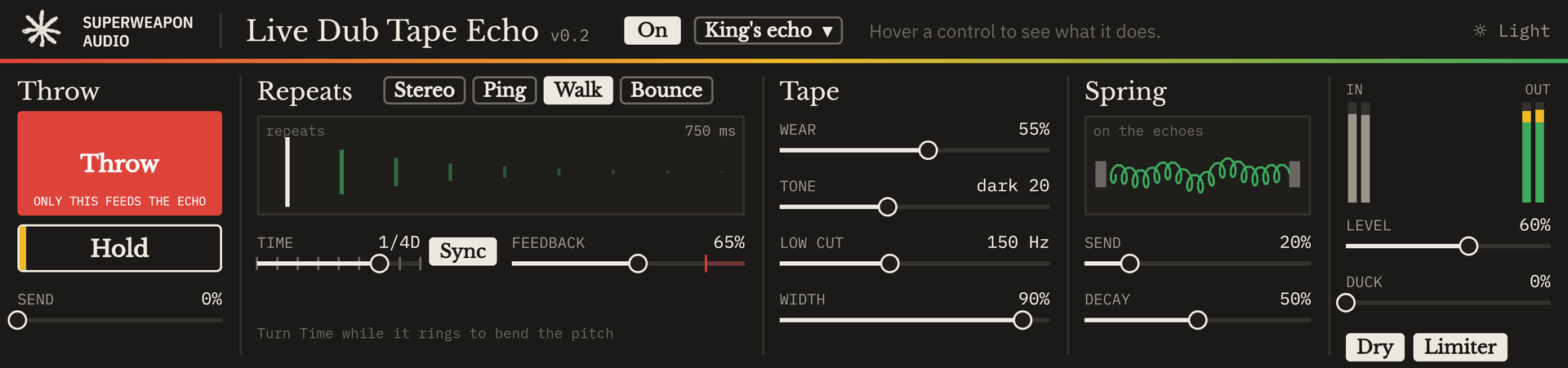
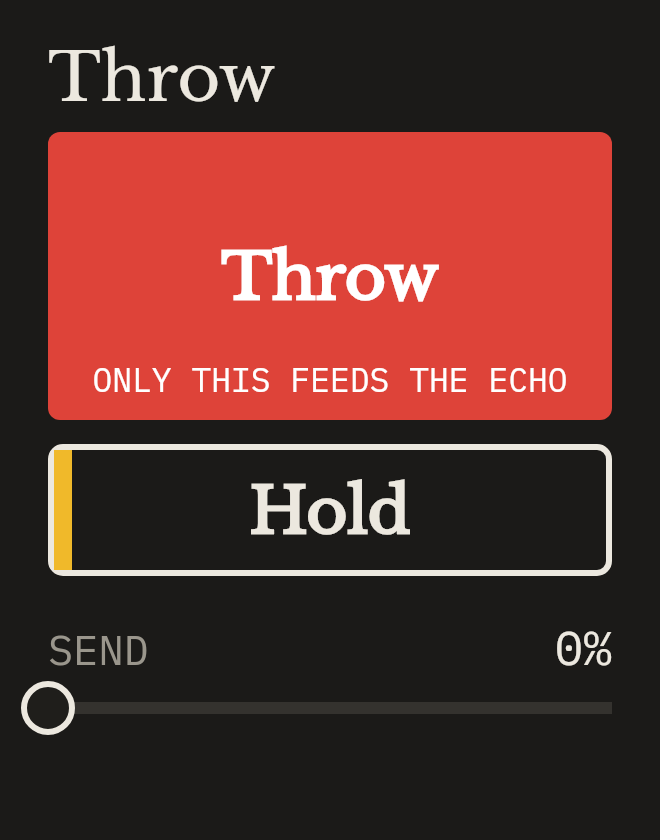
Hold to send the sound into the echo. Send starts at 0, so only Throw feeds it: classic dub catches. Turn Send up for an echo on everything.
Freezes the repeats into a loop while the dry sound carries on. Shift-click Throw or Hold to latch them.
Three moves
- 01
Throw
Hold Throw to catch a snare, a word or a stab. Only what you catch goes into the tape.
- 02
Hold
Latch Hold to loop the repeats while the band plays on and new sound passes dry.
- 03
Bend
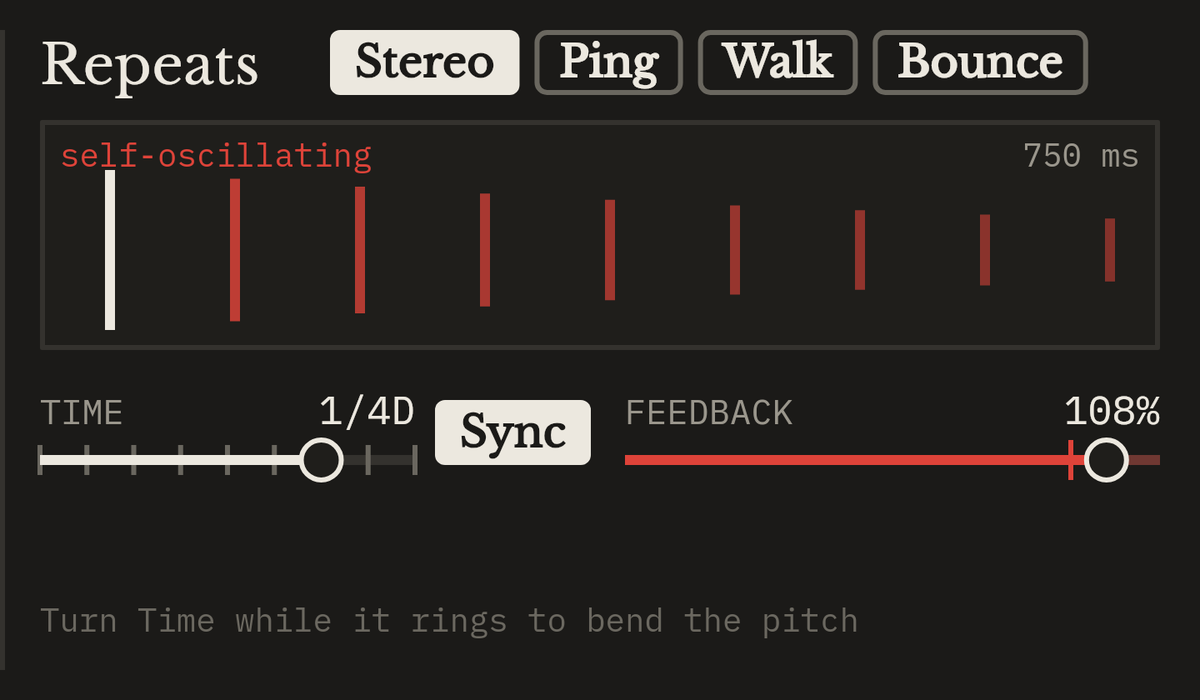
Turn Time while the echoes ring and they slide in pitch, like a hand on the tape reel. Push Feedback past 100% and let it howl.
Four ways to repeat
Stereo
Repeats in both speakers.
Ping
Repeats bounce left and right.
Walk
Each repeat recedes a little further.
Bounce
Repeats fly around you.
What it does
- Throw and Hold
- Hold-to-act performance buttons. Shift-click latches them.
- Time
- Synced divisions or milliseconds. Turn it while the echoes ring to bend their pitch.
- Feedback up to 120%
- Past 100% the tape saturates and howls but stays bounded.
- Tape
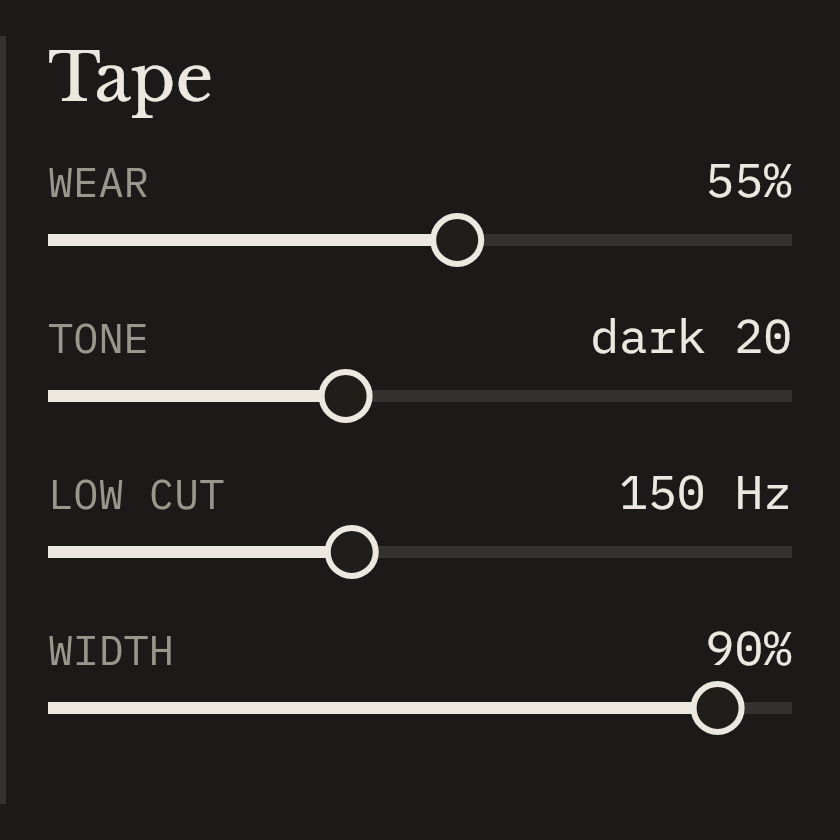
- Wear (duller, wobblier, grittier), Tone, Low cut and Width.
- Spring
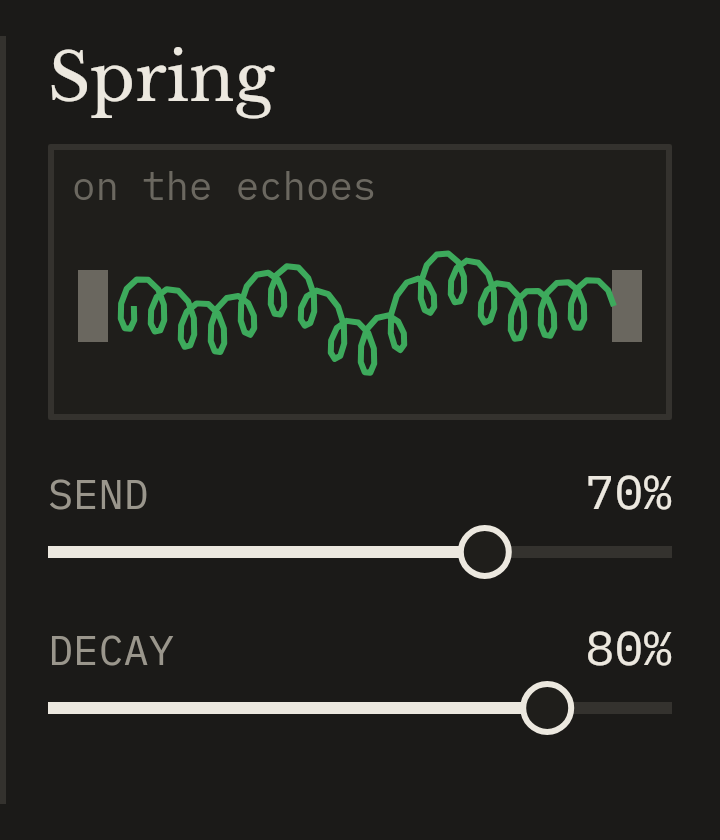
- Spring reverb on the echoes. The coil on screen ripples while the spring rings.
- Out
- Level, Duck (echoes dip while the dry plays), Dry on/off for return tracks, and a limiter at −0.3 dB.
- Dub colours
- Throw lights red, Hold lights gold, and the repeats show green, turning gold while holding and red when self-oscillating.
- Push ready
- Every control is a Live parameter. Play Throw and Hold from Push, with two banks: Ride and Shape.
- Light and dark themes
- Switch at the top right of the device.
Eight places to start
- King’s echo
- Rockers ping
- Walk away
- Spiral
- Runaway
- Slapback
- Spring wash
- Clean
Up and running
- Unzip the download.
- Copy the whole Live Dub Tape Echo folder into your Ableton User Library. On Windows that's Documents\Ableton\User Library; on a Mac, Music/Ableton/User Library.
- In Live's browser, open User Library → Live Dub Tape Echo and drag the device onto an audio track, a group or a return track (switch Dry off on a return).
Always load it from your User Library, not straight from Downloads. Live only copies the .amxd, and the device needs the other files in its folder.
Needs Ableton Live with Max for Live: Live Suite, or Live Standard with the Max for Live add-on.
Lost it? Sign in to My downloads with the email you bought with. Updates are free.

